To save content items to your account,
please confirm that you agree to abide by our usage policies.
If this is the first time you use this feature, you will be asked to authorise Cambridge Core to connect with your account.
Find out more about saving content to .
To save content items to your Kindle, first ensure no-reply@cambridge.org
is added to your Approved Personal Document E-mail List under your Personal Document Settings
on the Manage Your Content and Devices page of your Amazon account. Then enter the ‘name’ part
of your Kindle email address below.
Find out more about saving to your Kindle.
Note you can select to save to either the @free.kindle.com or @kindle.com variations.
‘@free.kindle.com’ emails are free but can only be saved to your device when it is connected to wi-fi.
‘@kindle.com’ emails can be delivered even when you are not connected to wi-fi, but note that service fees apply.
The purpose of a software naming convention is to help the people who read and write the code understand the program. Understanding the code makes it easier to use, write, or modify correctly. The goal in naming is to use names that are easy to recognize and associate with their meaning and role.
The basic content idea is to use words and character sequences that help connect a name with the entity that it represents. It is a great idea to use names that are intuitive, but developers have surprisingly divergent ideas on which names are intuitive. A more realistic objective is to use names that help the reader understand the code.
The basic visual style idea is to use different visual styles for different identifier types. This makes it easier to recognize the various elements of the language. Clearly, some consistency and differentiation is important. There is a balance in differentiation because having a large number of styles makes for too much to remember. In any case, only a few variations of naming style are available in MATLAB, so the language elements have to be grouped into a smaller number of styles. There is controversy is over how best to do it.
Establishing a naming convention for a group of developers is important, but the process can become ridiculously contentious. There is no naming convention that will please everyone.
The organization of code and data files in directories can have a significant impact on ease of use. Separate project-specific and general-purpose m-files to make them easier to use and to integrate with the MATLAB product.
Toolboxes
Organize General-Purpose m-Files in Toolboxes
Develop general-purpose program libraries or toolboxes to increase productivity. A library is particularly helpful for related functions, such as statistics or time series analysis, that are useful in more than one application domain.
Write your toolboxes for sharing. Standards are higher for public toolboxes that you share with others than for personal toolboxes for your own use. Improve the quality of your code by having others use and criticize it. A public toolbox should be usable by nonexperts and customizable and extensible by experts.
Put Test Files in a Separate Directory
In general, do not release test files in a production code toolbox directory. Putting the test files in their own directory makes the release separation easier. Using separate directories helps avoid any dependence of the production code on the test code.
Consider Writing Demo Files
Demo files provide the user with quick examples of the capabilities and uses of the functions in a toolbox. Demos often use graphical user interfaces (GUIs) or are graphics based, and they allow the user to see results without extensive programming.
The syntax of a programming language tells you what code it is possible to write – what machines will understand. Style tells you what you ought to write – what humans reading the code will understand. Code written with a consistent, readable style is robust, maintainable, and contains fewer bugs. Code written with no regard to style contains more bugs, and it may simply be thrown away and replaced rather than supported and extended.
Attending to style is particularly important when developing software as a team. Consistent style facilitates communication because it enables team members to read and understand each other's work more easily. The value of consistent programming style increases dramatically with the number of people working with the code and with the amount of code in the project.
Two style guides are classics: Strunk and White's The Elements of Style and Kernighan and Plauger's The Elements of Programming Style. These small books work because they are simple: a list of rules, each containing an explanation and examples of correct, and sometimes incorrect, use. This book follows the same pattern.
Some of the advice in this book may seem obvious to you, particularly if you have been writing and reading code for a long time. You may disagree with some of the specific suggestions about formatting, naming, or usage.
MATLAB now has the capability for serious projects, not just casual prototyping. As projects get bigger and team size grows, explicit and consistent development practices become more important. MATLAB is used with a range of recognized development practices from traditional to more recent agile approaches. This chapter presents techniques and strategies that are generally applicable to most of these practices. It also includes some items that are agile-specific.
Traditional approaches tend to have formal documented specifications and detailed design up front, with code documentation and testing near the end of the process. Agile approaches promote writing code and tests early, refactoring often to produce design, and placing less emphasis on formal documentation.
The goal of any development is software that works, usually including properties such as stability, correctness, extensibility, and maintainability. All serious development approaches include elements such as design, documentation, and test. The project deliverables are code (main and test) and documentation (of software, process, and evaluation).
Most software projects are constrained by developer time. Use practices that make the best use of your limited time and are effective in your work environment. Despite schedule pressures, make time to learn about important elements of the language, features of the development environment, and best practices.
In 2002, I wrote a brief set of observations and thoughts on MATLAB® style for my coworkers. Other programmers found it useful, so I posted the “MATLAB Programming Style Guidelines” document on my website datatool.com. It has since been downloaded more than 40,000 times.
This book responds to that encouraging interest and incorporates what I have learned in the meantime. It joins a well-received series of style books on other languages, including The Elements of Java Style, The Elements of C++ Style, and The Elements of C# Style.
Much of the advice in this book may be familiar. This is deliberate because many of the programming principles described are valid across programming languages. However, the content has been extensively reworked and expanded here to address the unique characteristics of the MATLAB language and development environment environment, as well as the priorities and practices of MATLAB programmers.
Audience
This is a practical manual for the serious user who wants to become more productive. It provides guidance on clear and effective programming, particularly for those who develop with or for others.
This book is written for new MATLAB programmers who want to develop good habits, as well as for experienced MATLAB programmers who want to get better and to understand why others use different style conventions.
This book is not intended to teach you the MATLAB language, but rather it focuses on how MATLAB code can be written in order to maximize its effectiveness.
Graphic designers have long known that the appropriate use of space around and within text can enhance the reading experience. Use layout, white space, and visual organization to clarify relationships and avoid straining the reader's short-term memory. When you modify your code, preserve layout and spacing to make sure that its format is correct. Code that is easy to scan and read is more likely to be correct.
Layout
The purpose of layout is to help the reader understand the code. It should accurately and consistently represent the logical structure of the code. Indentation is particularly helpful for revealing code structure and patterns to provide context for individual statements.
Keep Content Within the First Eighty Columns
Avoid writing code in long lines. Short lines are easier to read than long ones. In general, the readability of text decreases as column width increases. The recommended eighty-column width is a common dimension for editors, terminal emulators, printers, and debuggers.
Readability improves if unintentional line breaks and horizontal scrolling are avoided when passing a file between programmers. Limiting lines to eighty columns also makes side-by-side viewing in two windows easier.
Split Long Code Lines at Graceful Points
A long line is one that exceeds the suggested eighty-column limit. If you have two or more statements on one line, then write each on a line of its own.
Good software gets the immediate job done. But great software, written with a consistent and readable style, is predictable, robust, maintainable, supportable, and extensible. A few general principles provide the foundation for great software.
Avoid Causing Confusion
Avoid doing things that would be an unpleasant surprise to other software developers. The interfaces and the behavior exhibited by your software must be predictable and consistent. If they are not, then the documentation must clearly identify and justify any unusual instances of use or behavior.
To minimize the chances that anyone would encounter something surprising in your software, you should emphasize the following characteristics in its design, implementation, packaging, and documentation:
Simplicity Meet the expectations of your users with simple functions, classes, and methods.
Clarity Ensure that each variable, function, class, and method has a clear purpose.
Completeness Provide at least the minimum functionality that any reasonable user would expect to find and use.
Consistency Design similar entities with a similar look and behavior. Create and apply consistent standards whenever possible.
Robustness Provide predictable, documented behavior in response to errors and exceptions. Do not hide errors, and do not force users to detect errors.
Avoid Throw-Away Code
Apply these rules to any code you write, not just code destined for production. All too often, some piece of prototype or experimental code will make its way into a finished product. Even if your code never makes it into production, someone else may still have to read it.
There are large variations in the amount and character of documentation for software development projects. MATLAB-specific style issues are concentrated in the internal documentation intimately associated with the code files, particularly comments and reference pages. Documentation of a software routine should clarify what it is doing, as well as define the required and optional inputs and the available outputs. Helpful documentation is aimed at a knowledgeable but not necessarily expert reader who is new to this program, yet familiar with the MATLAB language.
Where possible, the documentation should be generated from the m-file with little effort. The document should have readability features that make it easier to read than simple unformatted comments. In the case of the MATLAB product, this means using the Publish feature.
Provide Well-Written Code
The best documentation for a program is clean code. Comments cannot justify poorly written code, nor can they make up for code lacking appropriate name choices, good layout, or an explicit logical structure. Such code should be rewritten.
Document Each Module Before or During Its Implementation
Development projects are rarely completed on schedule. If documentation is left for last, then it will get cut short. Such documentation is often too little, too late, or even absent. Writing some documentation early assures that it gets done, and this practice will probably reduce development time. Writing at least some of the documentation before coding will also encourage you to think more about the functionality and interfaces of the modules.
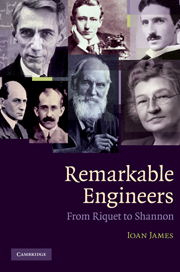
Engineering transformed the world completely between the 17th and 21st centuries. Remarkable Engineers tells the stories of 51 of the key pioneers in this transformation, from the designers and builders of the world's railways, bridges and aeroplanes, to the founders of the modern electronics and communications revolutions. The focus throughout is on their varied life stories, and engineering and scientific detail is kept to a minimum. Engineer profiles are organized chronologically, inviting readers with an interest in engineering to follow the path by which these remarkable engineers utterly changed our lives.
Erasmus Darwin (1731–1802) is remembered not only as the grandfather of Charles but as a pioneering scientist in his own right. A friend and correspondent of Josiah Wedgwood, Joseph Priestley and Matthew Boulton, he practised medicine in Lichfield, but also wrote prolifically on scientific subjects. He organised the translation of Linnaeus from Latin into English prose, coining many plant names in the process, and also wrote a version in verse, The Loves of Plants. The aim of his Zoonomia, published in two volumes (1794–6), is to 'reduce the facts belonging to animal life into classes, orders, genera, and species; and by comparing them with each other, to unravel the theory of diseases'. The first volume describes human physiology, especially importance of motion, both voluntary and involuntary; the second is a detailed description of the symptoms of, and the cures for, diseases, categorised according to his physiological classes.
This early twentieth-century guide to the geography and geology, fauna and flora of Cambridgeshire was written during a period when natural history played a particularly prominent role in British cultural life. The heart of the book is a comprehensive survey of the diversity of animal life in the region, focussing particularly on the insect orders. It also includes chapters on vertebrate palaeontology and archaeology. Two maps show locations of discovery of ancient skulls, as well as important ancient roads that cross the county. There are additional botanical and geological maps. The book provides a valuable baseline for present-day studies of biodiversity or the effects of climate change, and will also appeal to local enthusiasts with an interest in environmental history.
Our fascination with the revolutionary heliocentric hypothesis of Copernicus, carried forward by Galileo and Kepler, has led us to overlook the revolutionary discoveries tumbling out of other scientific investigations in the seventeenth century. The Copernican revolution has an additional fascination because it seems to pit a great scientific hero, Galileo, against an oppressive religious structure. But the Church outside of Italy controlled neither the press, the dissemination of telescopes, nor the exploration of nature. Neither could it suppress the anatomical or microscopic study of nature and the human body.
In this way, the workings of the omnipresent European ethos of science was operative in many fields in England and from Scandinavia to Italy on the Continent. It can be seen in medicine and in the broad range of microscopic studies that gave birth to microbial studies. This was made possible by the invention of the microscope, both single- and compound-lens versions. Likewise, significant empirical advances were made in the field of hydraulics, pneumatics, and electrical studies. All these came out of the ubiquitous scientific curiosity that we saw earlier in the Europe-wide fascination with the telescope. That curiosity had been bred in the universities and both preceded the scientific revolution and served to keep it going.
One Adam having driven us out of Paradise; another has driven us out of China.
The Jesuit Mission in China
The earliest certain transmission of the telescope to Asia occurred in 1613, when a Dutch sea captain brought it to Japan. The question of whether the representatives of the king of Siam took a spyglass back to Thailand in 1610 when they returned is still unanswered, as their ship was wrecked in a storm somewhere along the coast of Indonesia. Nevertheless, telescopes were taken to Thailand by the Jesuits soon thereafter. As we shall see later, the British ambassador, Sir Thomas Roe, brought a telescope to the Mughal court of Jahangir in 1615. In the same year, however, Chinese scholars could read a preliminary account of Galileo's celestial discoveries written and translated into Chinese by a Portuguese Jesuit. By 1619, a “Keplerian” astronomical telescope arrived in China with a new batch of missionaries. The Jesuit scientists Johannes Schreck (known among Jesuits as Terrentius) and Johann Adam Schall had arrived in China with firsthand experience using the Dutch or Galilean telescopes in Europe at the moment of Galileo's discoveries. But the Jesuit mission in China had already been launched before Matteo Ricci arrived in 1583.
For more than three decades, Ricci and his followers had been laying the groundwork for bringing European science and astronomy to China. That task, as it turned out, was far more complicated than anyone imagined. It was more complex than transmitting the telescope and related parts of Western astronomy to other parts of the world. Long-distance spying, as could be done with the Dutch invention, would surely raise issues in the Muslim world as well as in China. But China's intellectual walls were anchored in unique and highly articulated ancient patterns of thought that were always ready to be recovered and reimposed.